Get a Quote
← Guides
Home / Guides / MBBR calculator
Online tool

MBBR Media
Calculator

Work out how much biofilm carrier you need from the pollutant load, and check the result against the 15–67% dosing window. The arithmetic runs in your browser — nothing is sent anywhere.

Volume = load ÷ rateDosing 15–67%Run per parameter
MBBR media volume calculator
Nitrification
400 – 1200 gN/m³·d
BOD oxidation
2000 – 10000 g/m³·d
COD oxidation
2000 – 15000 g/m³·d
Dosing rate
15 – 67%
Quoted in
m³
Calculator

Carrier volume from load

Run this once for each parameter your permit limits — BOD, COD and ammonia — and take the largest carrier volume. They do not peak in the same proportion.

use peak flow
BOD 2000–10000 · NH₃-N 400–1200
for the dosing check

On the rate: published figures assume an acclimatised biofilm at favourable temperature. Designing at the top of the range leaves no margin for winter or load shock — mid-range is the safer design point.

The arithmetic

What the calculator is doing

Step 1 — loadFlow × concentration removed. Concentration removed is influent minus target, not the influent figure. Work in grams per day: 1,000 m³/d × 270 g/m³ = 270,000 g/d.
Step 2 — volumeCarrier volume = load ÷ design rate. 270,000 ÷ 4,000 = 67.5 m³ of carrier.
Step 3 — dosing checkCarrier volume ÷ reactor volume must land between 15% and 67%. 67.5 ÷ 300 = 22.5%.
Step 4 — take the largestRepeat for every limited parameter and use the biggest carrier volume. In our worked example nitrification alone would have given 58.3 m³ — about 14% short.
Reading the result

What the numbers mean

01

Dosing above 67%

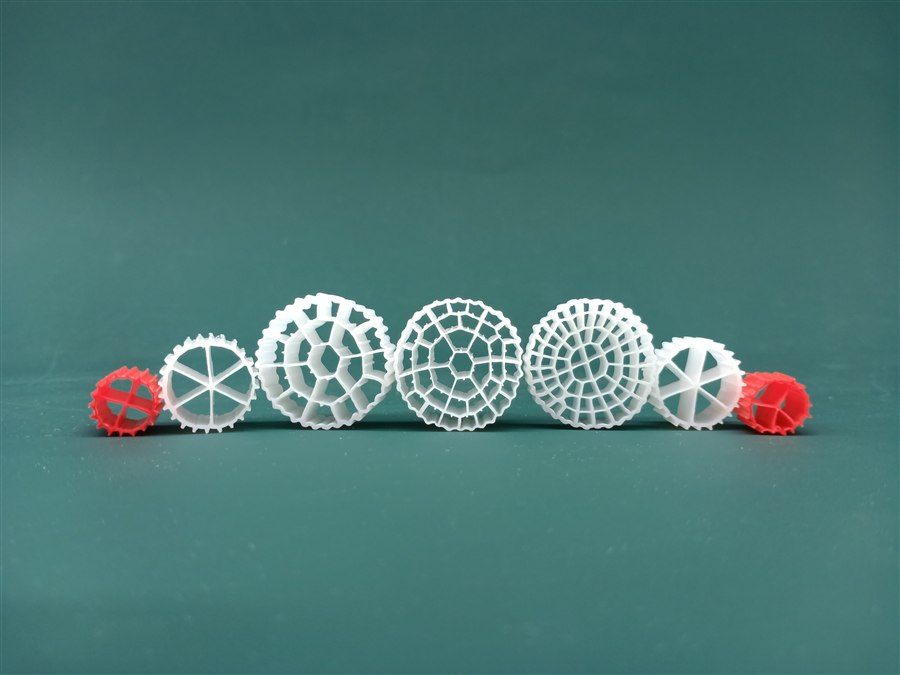
The reactor is too small for the load at that carrier specification. Either the reactor needs to be larger, or you need a higher-surface-area carrier — our PE03 and PE08 reach over 1,000 and over 1,300 m²/m³.

02

Dosing below 15%

The reactor is oversized for the carrier volume. Not a treatment problem, but a poor use of capital — and in a retrofit it usually means the tank can take more load than the original design assumed.

03

Air still has to move the bed

A calculated carrier volume is only deliverable if the aeration can fluidise it across the whole tank. On a retrofit this is the check that most often invalidates an otherwise correct calculation.

Common questions

MBBR calculator questions

Q1

Does the calculator send my data anywhere?

No. It runs entirely in your browser. Nothing you type is transmitted, stored or logged — you can disconnect from the network and it still works.

Q2

Which rate should I enter?

Use the published figure for the parameter you are calculating: BOD oxidation 2,000–10,000 g/m³·d, COD oxidation 2,000–15,000 g/m³·d, nitrification 400–1,200 gN/m³·d. Design mid-range rather than at the top.

Q3

Why does dosing matter?

Carrier volume quoted as a percentage of reactor volume is an output of the load calculation, not an input. The 15–67% window is our published suggested dosing range — outside it, either the reactor or the carrier choice needs revisiting.

Q4

Does carrier choice change the answer?

If you are working from surface area rather than from a rate, yes. Our range spans over 600 to over 1,300 m²/m³, so a higher-surface-area carrier needs less volume for the same load. See the specification guide.

Q5

Can you check my numbers?

Yes. Send the design and peak flow, influent and target effluent for each limited parameter, the reactor volume and configuration, and whether it is new build or retrofit. We will return a checked carrier volume and model recommendation.

Q6

Is there a clarifier calculator too?

Yes — the tube settler media calculator sizes inclined media from hydraulic flow, which is a different calculation from the load-based method used here.
Related

Continue from here

Want us to check the numbers?

Send us the flow, influent and target effluent for each limited parameter, and the reactor volume - we will return a checked carrier volume.

Request a QuoteNo obligation - response within 24h (working days)